Completing a lesson is too easy a task in FTI Academy. After you complete a lesson how will you ensure that?
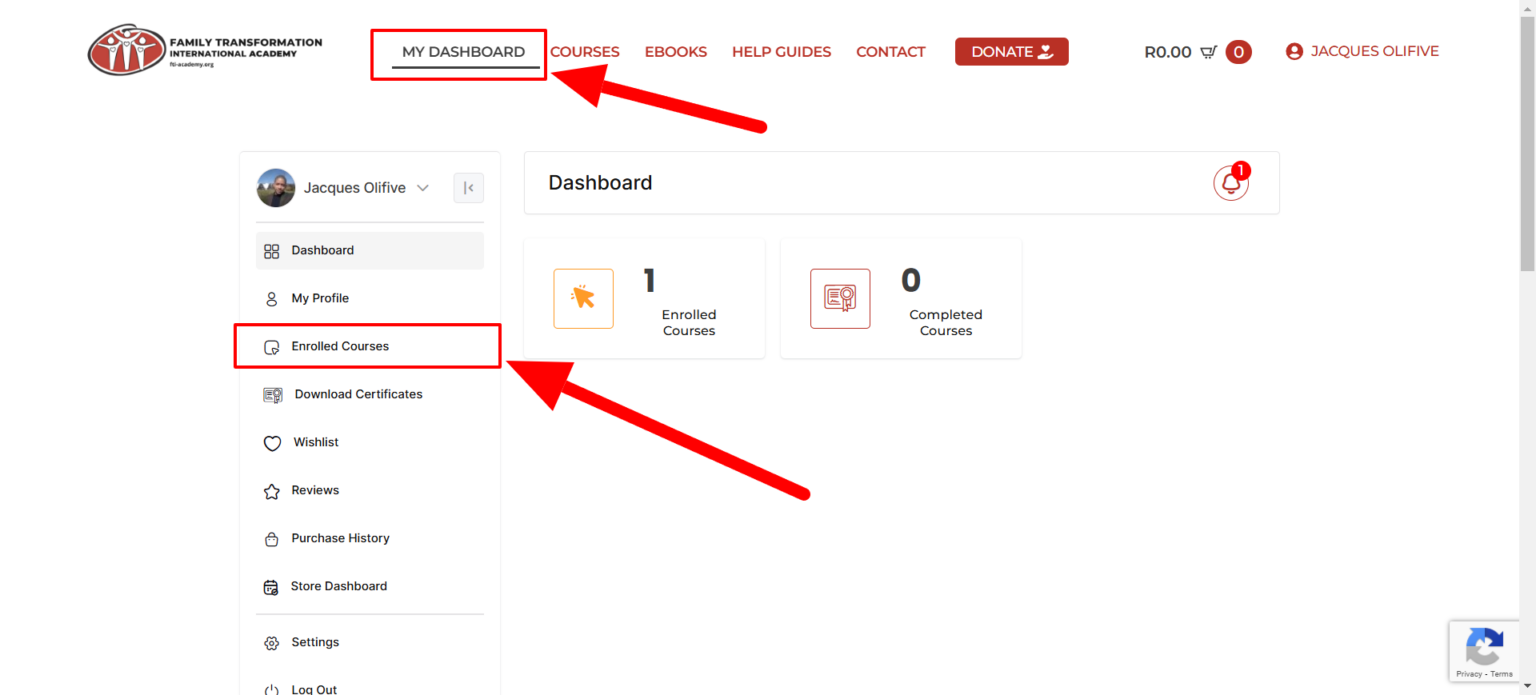
Step 1. Log in to your dashboard.
Step 2. Click on Enrolled Courses from your dashboard menu.
Step 3. Now select any one of your courses.
Step 4. After selecting the course, now start your course.
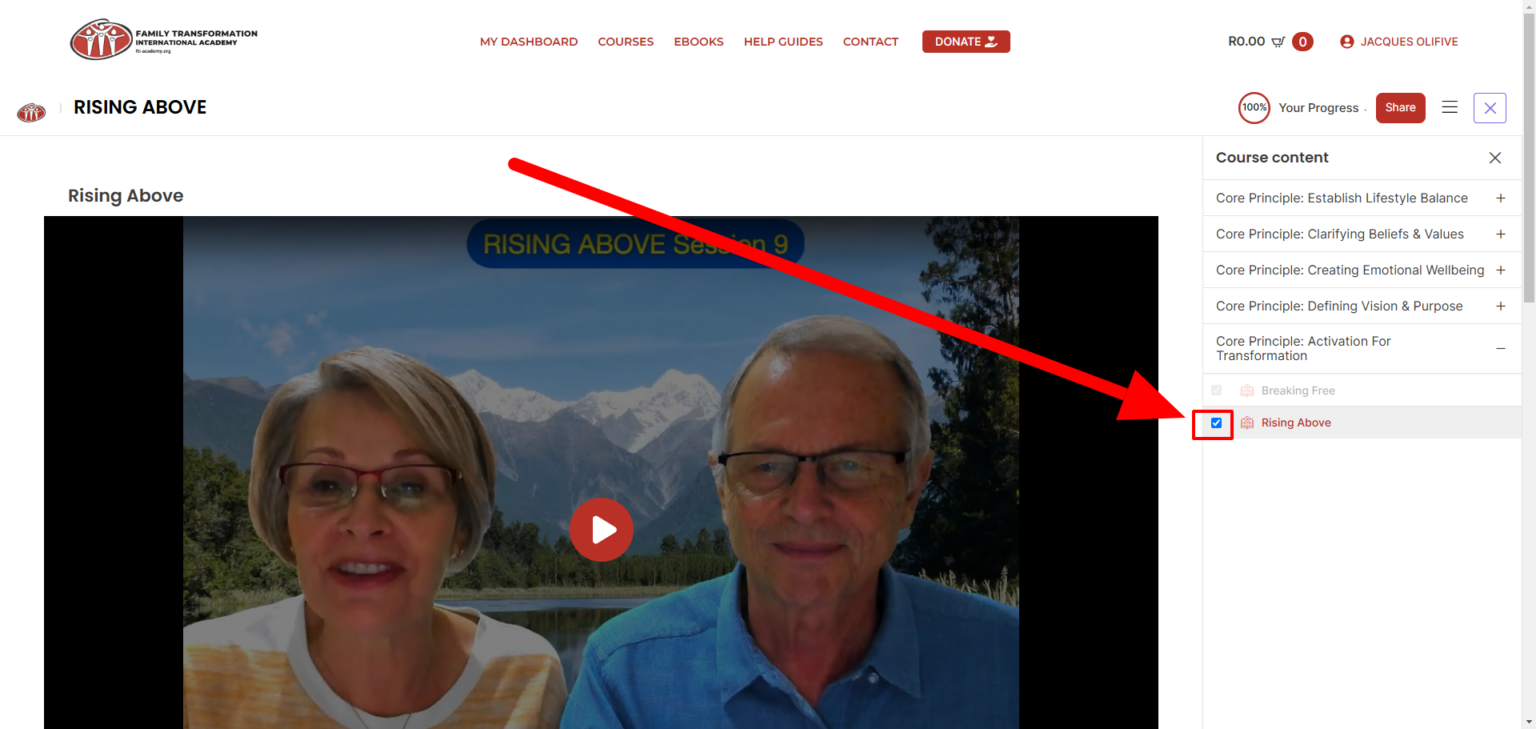
Step 5. Now from the Right, you will see all of your course lessons, and beside the lesson title, you will see a box, Check mark the box, and your course one lesson will complete furthermore your course progress percentage will increase.
Use the same way to complete all lessons from the course you want.